Home / Resources / Walkthrough
Walkthrough

How to get the most from yosi.in.

Short, step-by-step guides to everything on the site and in YOSI 360. Watch the film, or jump to what you want to do.

The 3-minute tour

Watch the whole of yosi.in in three minutes.

Every wing, the Career Portal, YOSICON, the Eye League and YOSI 360, at a glance. Then take any feature below at your own pace.

Start here

Join, sign in and get your card.

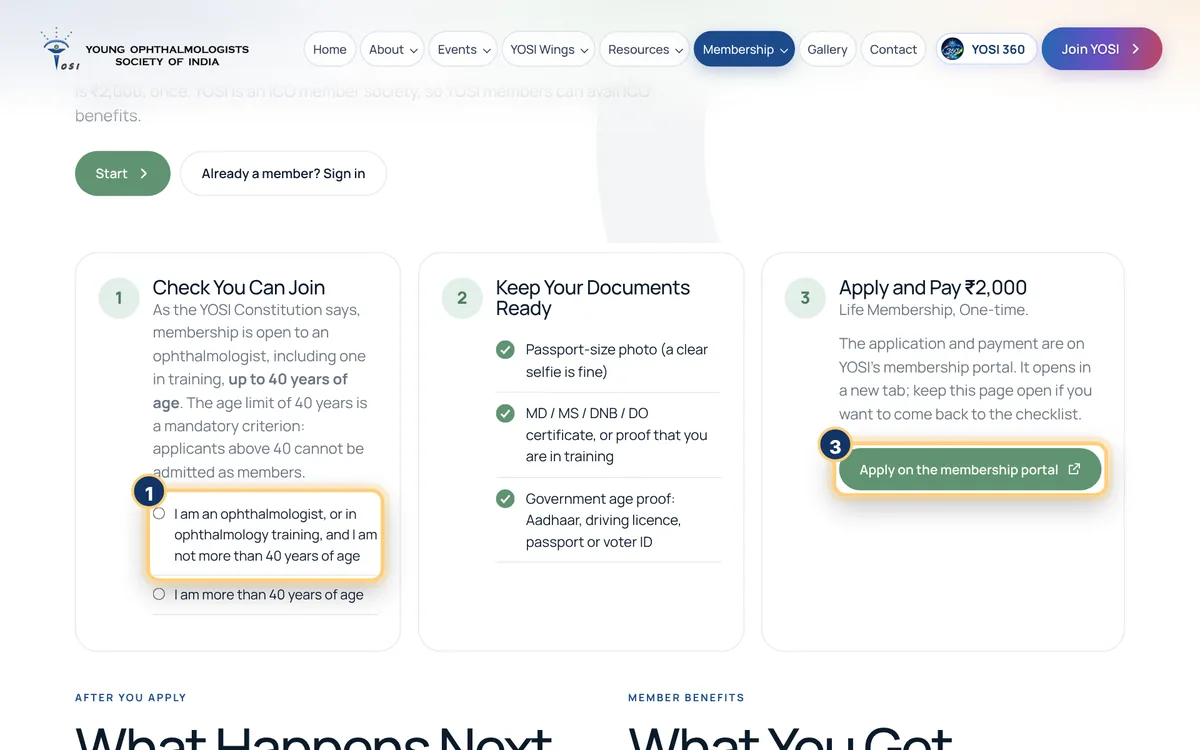
Annotated screen: Join YOSI in three steps. Numbers match the steps.

Join YOSI in three steps

Life membership is Rs 2,000, once, and YOSI is an ICO member society.

  1. Confirm you are an ophthalmologist, or in ophthalmology training, and not more than 40 years of age.
  2. Keep your photo, your MD / MS / DNB / DO certificate (or proof of training) and a government ID ready.
  3. Apply and pay Rs 2,000 on the membership portal. Your proposer, seconder and the Secretary approve it; if it is not approved, the fee is refunded.

Membership is open up to 40 years of age, as the Constitution says.

Join YOSI
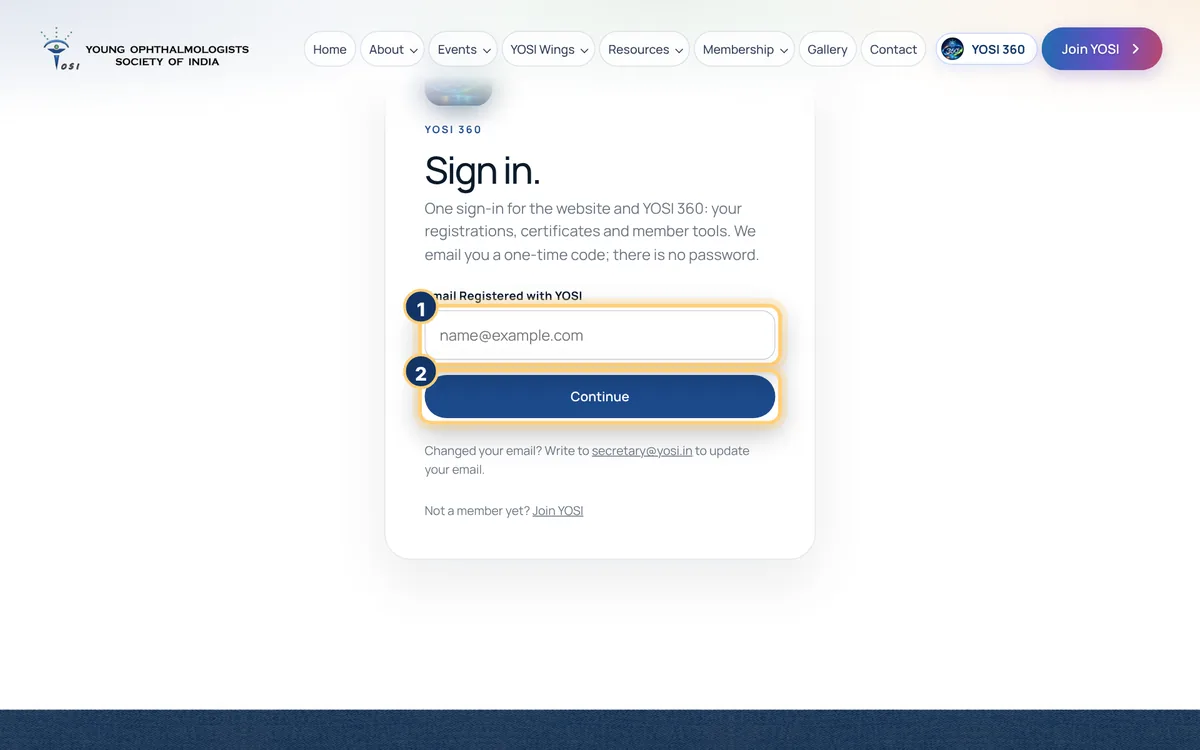
Annotated screen: Sign in to YOSI 360. No password.. Numbers match the steps.

Sign in to YOSI 360. No password.

One sign-in for the website and your member area.

  1. Type the email registered with YOSI.
  2. Press Continue.
  3. Open the email, type the one-time code, and you are in.

Changed your email? Write to secretary@yosi.in.

Sign in
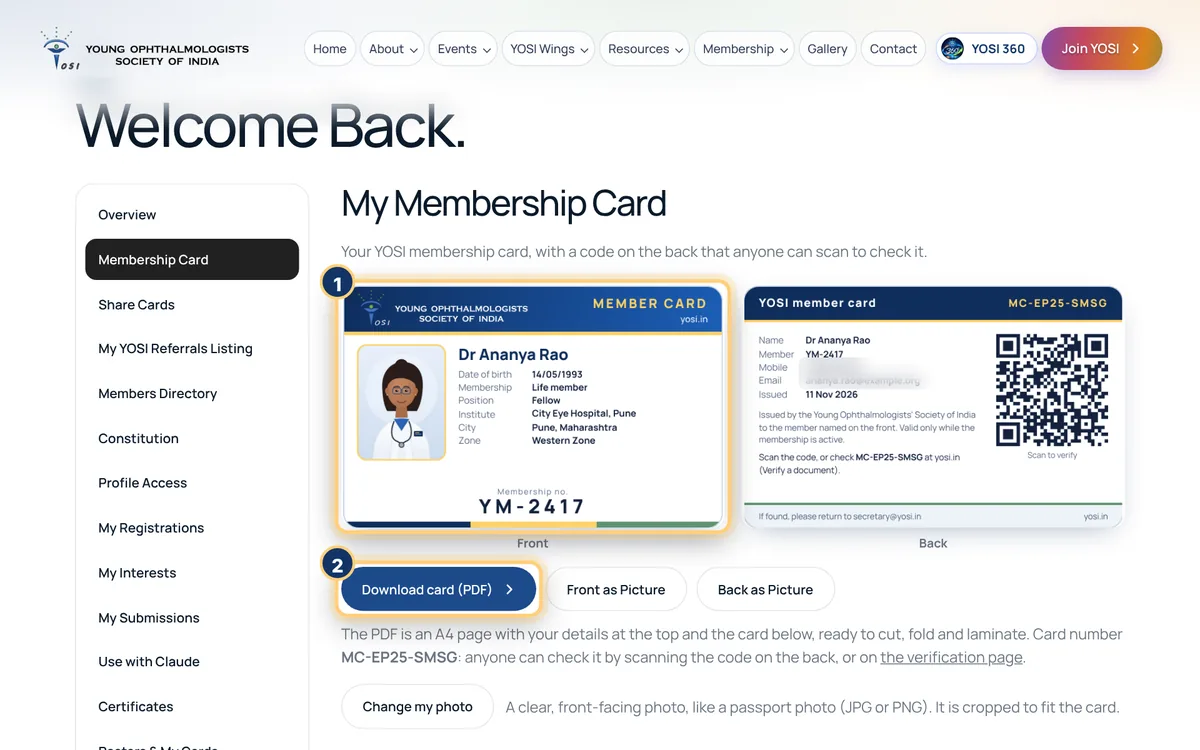
Annotated screen: Your membership card. Numbers match the steps.

Your membership card

Front, back and an A4 PDF, with a QR code anyone can scan to check it.

  1. YOSI 360, then Membership Card. Your card shows the front and the back.
  2. Download the A4 PDF, or the front and back as pictures. The card is made once every detail on it is filled in.

Until 1 January 2027, corrections to your details are saved straight away. A new date of birth is still checked by the Secretary, with a proof.

Open my card
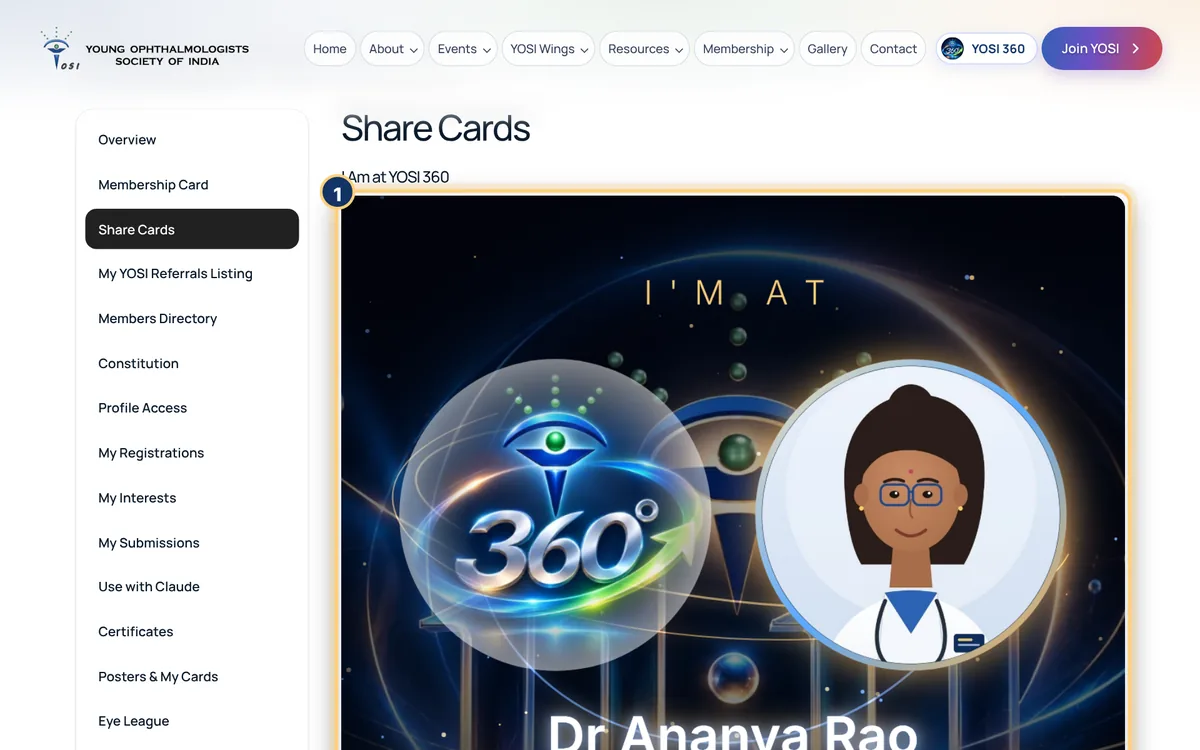
Annotated screen: Share cards. Numbers match the steps.

Share cards

Ready-made pictures with your name and photo, and a caption to post.

  1. YOSI 360, then Share Cards. Pick a card, such as "I am at YOSI 360" or "I am excited for YOSICON 2027".
  2. Download the picture, or share it with the caption already written.

Your photo comes from your membership card. Change it there.

Open share cards
Grow your career

Find fellowships, jobs and colleagues, and use the clinical tools.

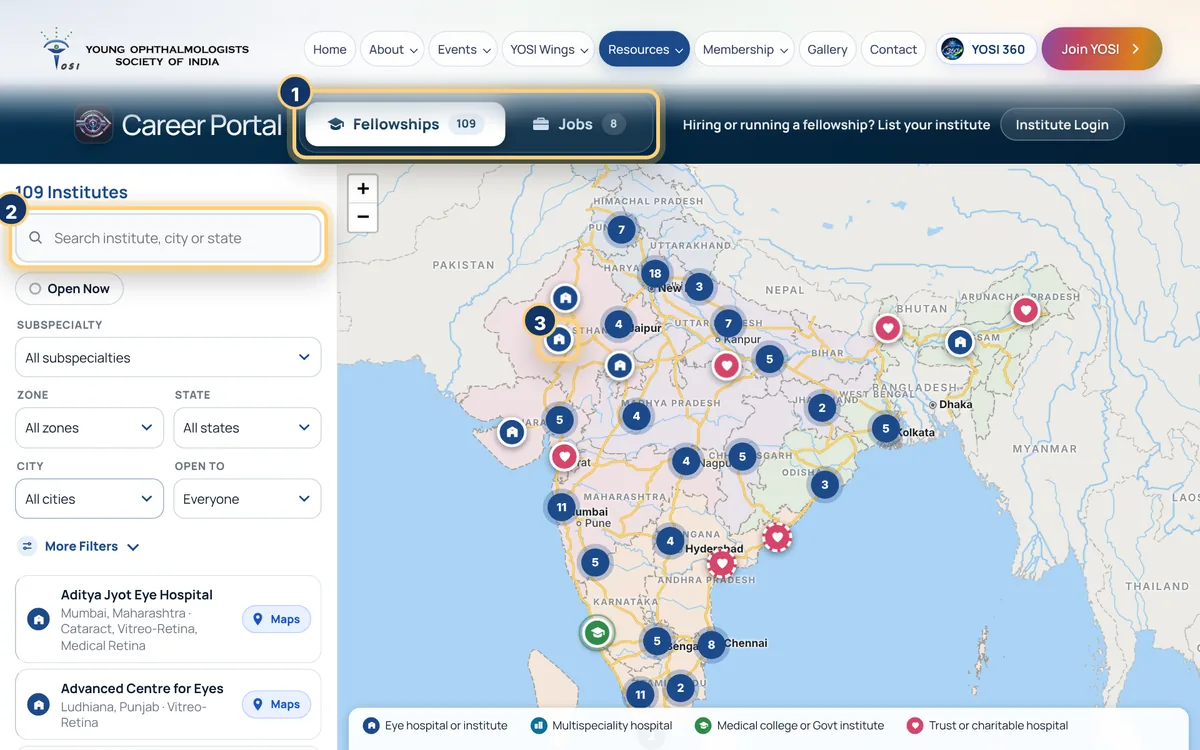
Annotated screen: Career Portal. Numbers match the steps.

Career Portal

Fellowships at 109 institutes and jobs, on one map.

  1. Choose Fellowships or Jobs at the top.
  2. Search by institute, city or state, or narrow it by subspecialty, zone, duration or stipend.
  3. Click a pin to open an institute, and open it in Google Maps. Gold dots have openings now.

Hiring or running a fellowship? Use Institute login to list your institute.

Open the Career Portal
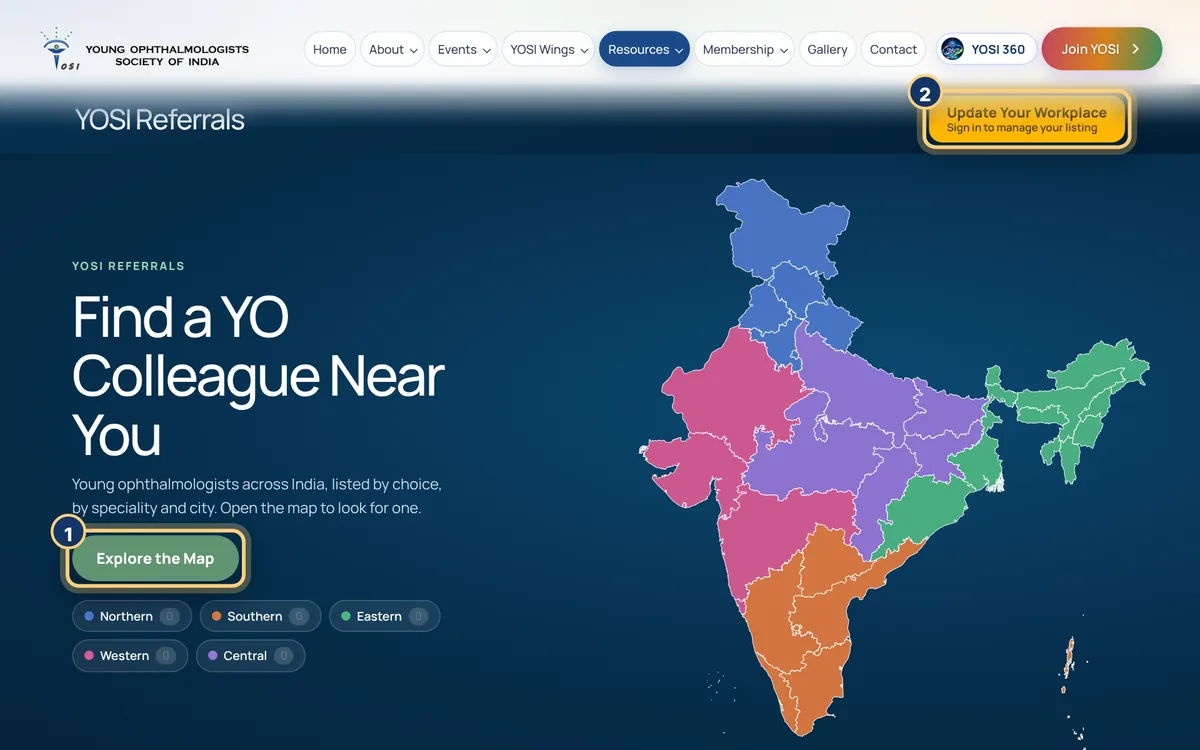
Annotated screen: YOSI Referrals. Numbers match the steps.

YOSI Referrals

Refer a patient to a trusted fellow YO, anywhere in India.

  1. Press Explore the map, then search by speciality, position, city or pincode.
  2. Open a member to see their page and where they practise.
  3. Are you a member? Sign in and use Update your workplace to create your own listing.

Nothing is shown unless you switch it on. Only YOSI members can be listed.

Find a YO
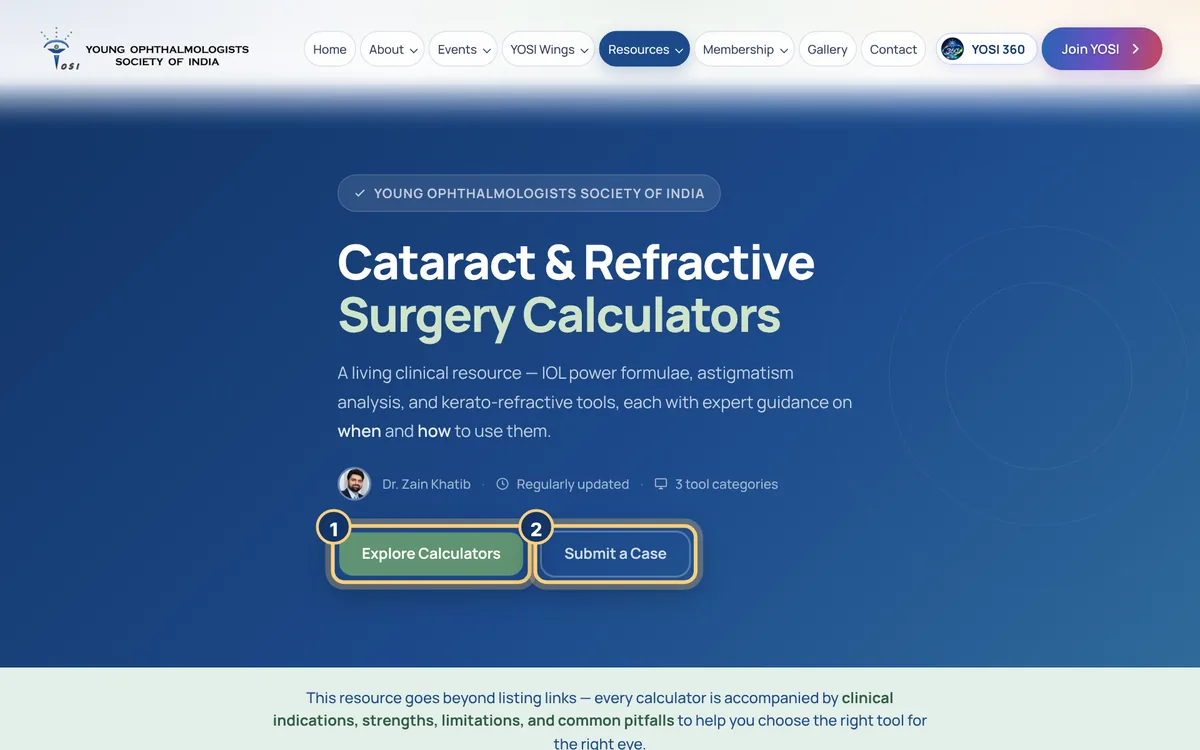
Annotated screen: Calculators by Dr Zain Khatib. Numbers match the steps.

Calculators by Dr Zain Khatib

IOL power, astigmatism and kerato-refractive tools, each with when to use it.

  1. Press Explore Calculators and pick IOL Power, Astigmatism or Kerato-Refractive.
  2. Choose the eye type that matches your case and read the guidance before you calculate.
  3. Stuck on a difficult eye? Press Submit a Case to send it to Dr Zain Khatib and the YOSI team.
Open the calculators
Learn and read

Talks, magazines and every event, sorted so you can find them.

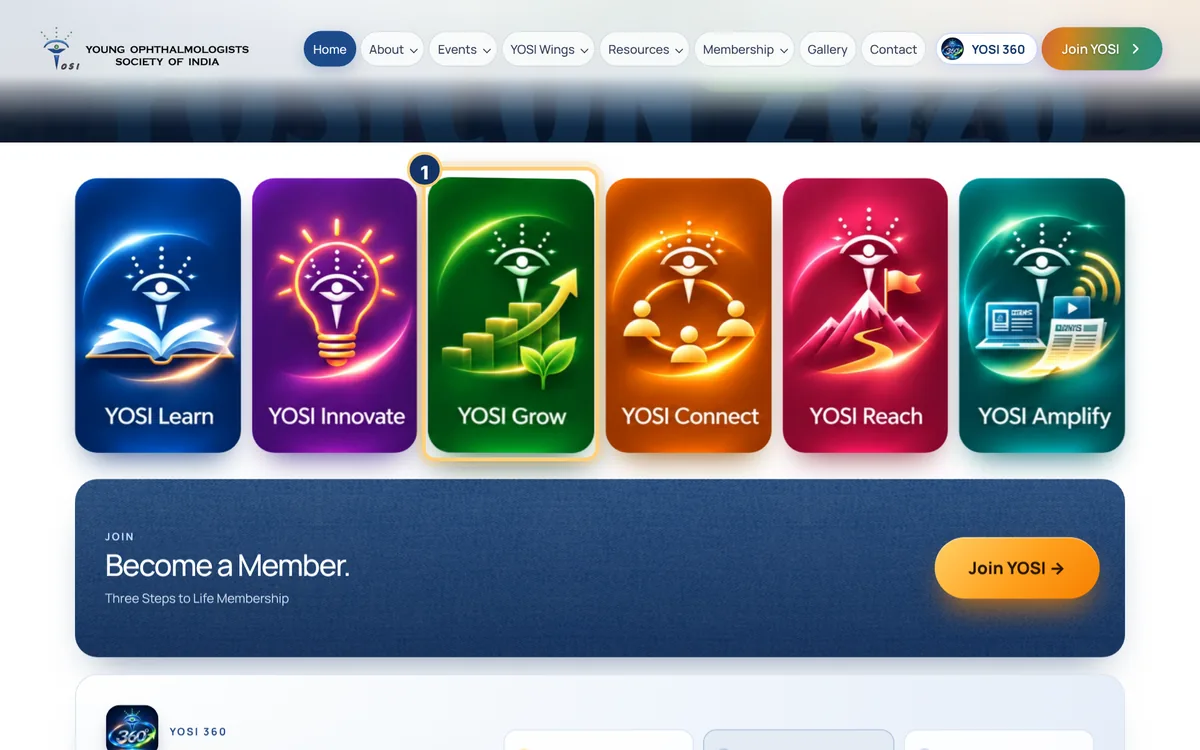
Annotated screen: The six wings. Numbers match the steps.

The six wings

Learn, Innovate, Grow, Connect, Reach and Amplify: every YOSI activity has a home.

  1. On the home page, hover over a wing card (or tap it on a phone). It turns over to show its teams.
  2. Open a team to see what it does, who leads it and what is next.
See all activities
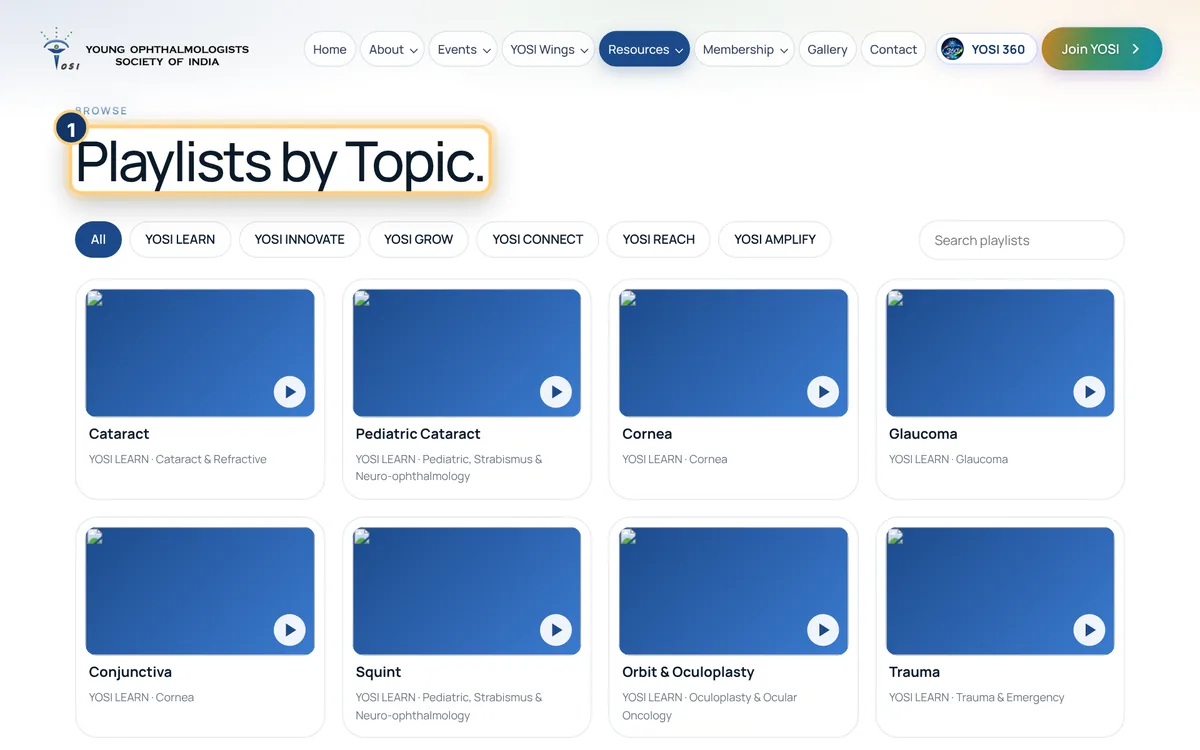
Annotated screen: YOTube: 489 talks, sorted by topic. Numbers match the steps.

YOTube: 489 talks, sorted by topic

YOSI webinars and recordings, grouped by wing and subspecialty.

  1. Pick a wing at the top of Playlists by Topic, or search the playlists.
  2. Open a playlist and watch. Subscribe on YouTube to get new talks.
Open YOTube
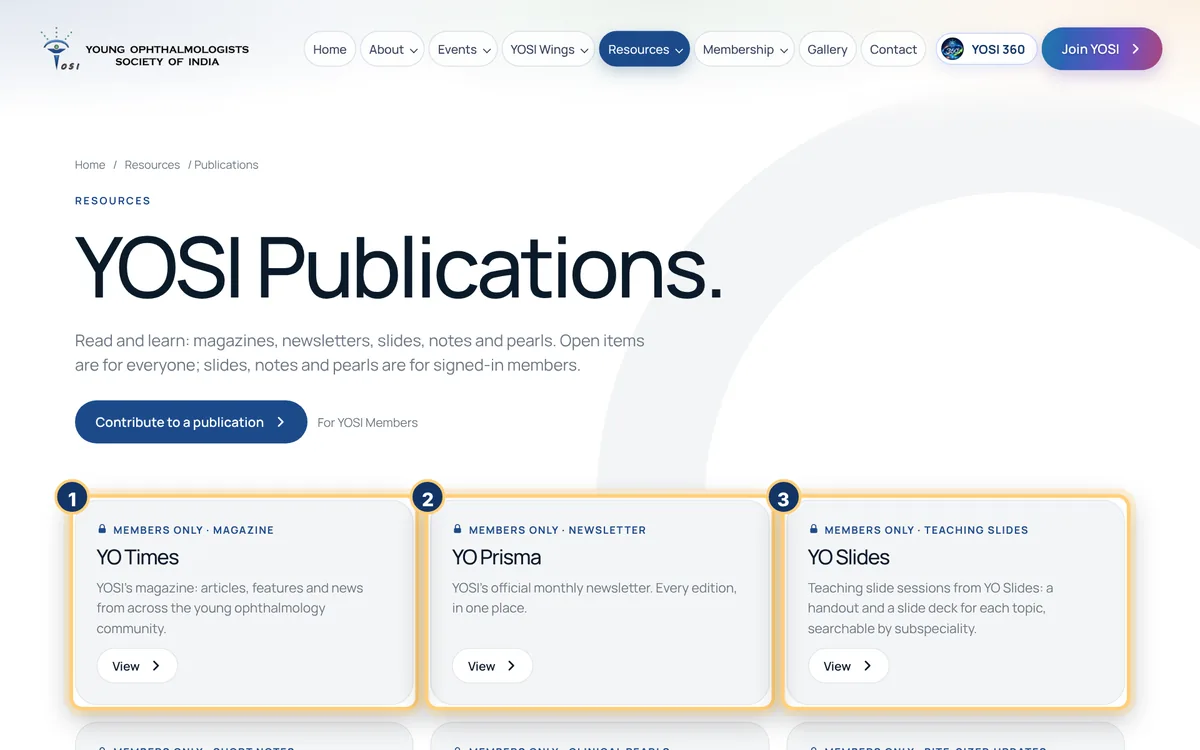
Annotated screen: Publications. Numbers match the steps.

Publications

YO Times, YO Prisma and YO Slides in one place.

  1. YO Times is the magazine, YO Prisma the monthly newsletter and YO Slides the teaching slides.
  2. Open items are for everyone. Members-only items open after you sign in.
  3. Want to write? Use Contribute to a publication.
Open publications
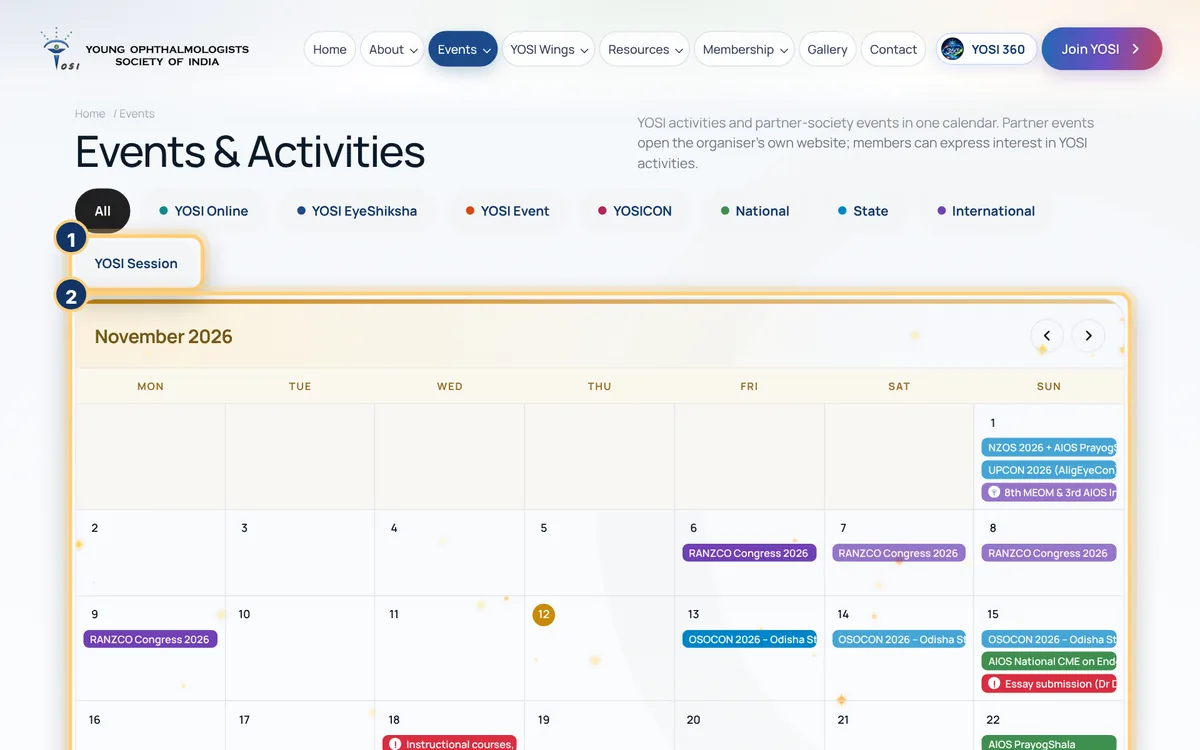
Annotated screen: Events and calendar. Numbers match the steps.

Events and calendar

YOSI activities and partner-society events in one calendar.

  1. Use the filters to see only YOSI Online, Eye Shiksha, YOSICON, national, state or international events.
  2. Click a day in the month view, or scroll down for upcoming events, conferences and abstract deadlines.
  3. Subscribe to the YOSI Calendar to get it in your own calendar app.

Partner events open the organiser’s own website.

Open the calendar
Take part

Register, speak and keep your certificates.

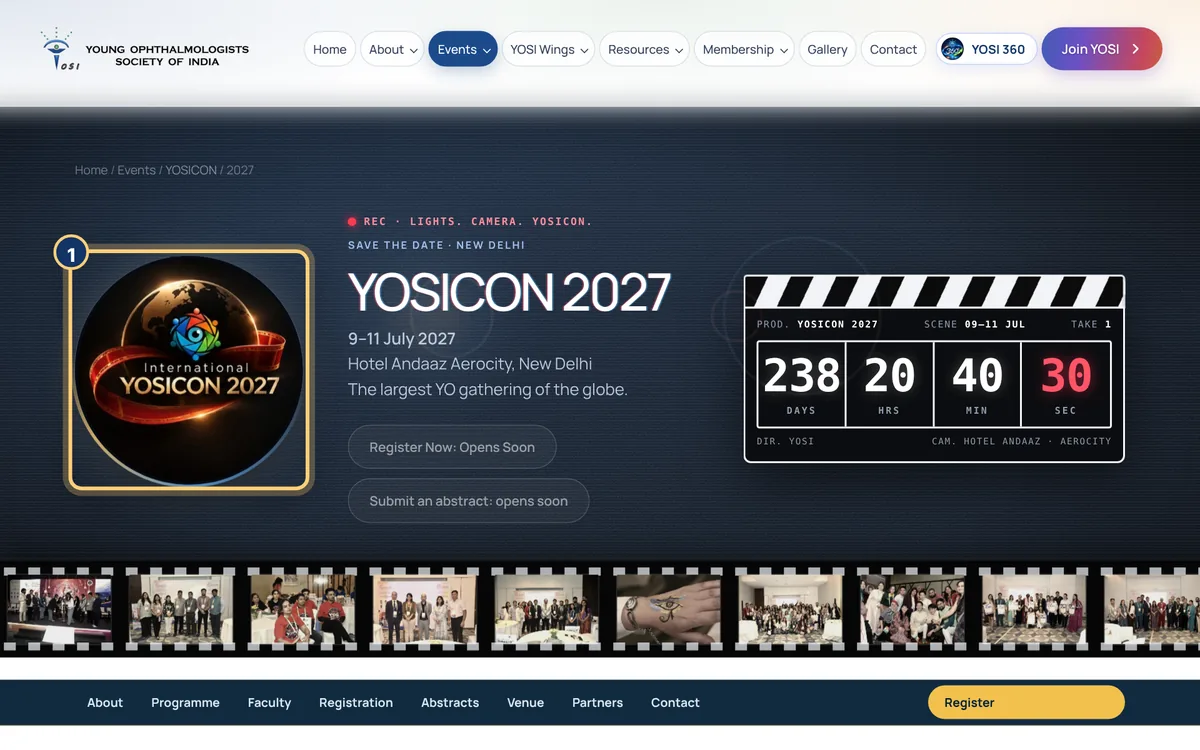
Annotated screen: YOSICON 2027. Numbers match the steps.

YOSICON 2027

9 to 11 July 2027, Hotel Andaaz Aerocity, New Delhi.

  1. Open the YOSICON 2027 page for the dates, venue and countdown.
  2. Use Register Now and Submit an abstract as they open.
  3. Looking back? The same page links the earlier YOSICONs.
See YOSICON 2027
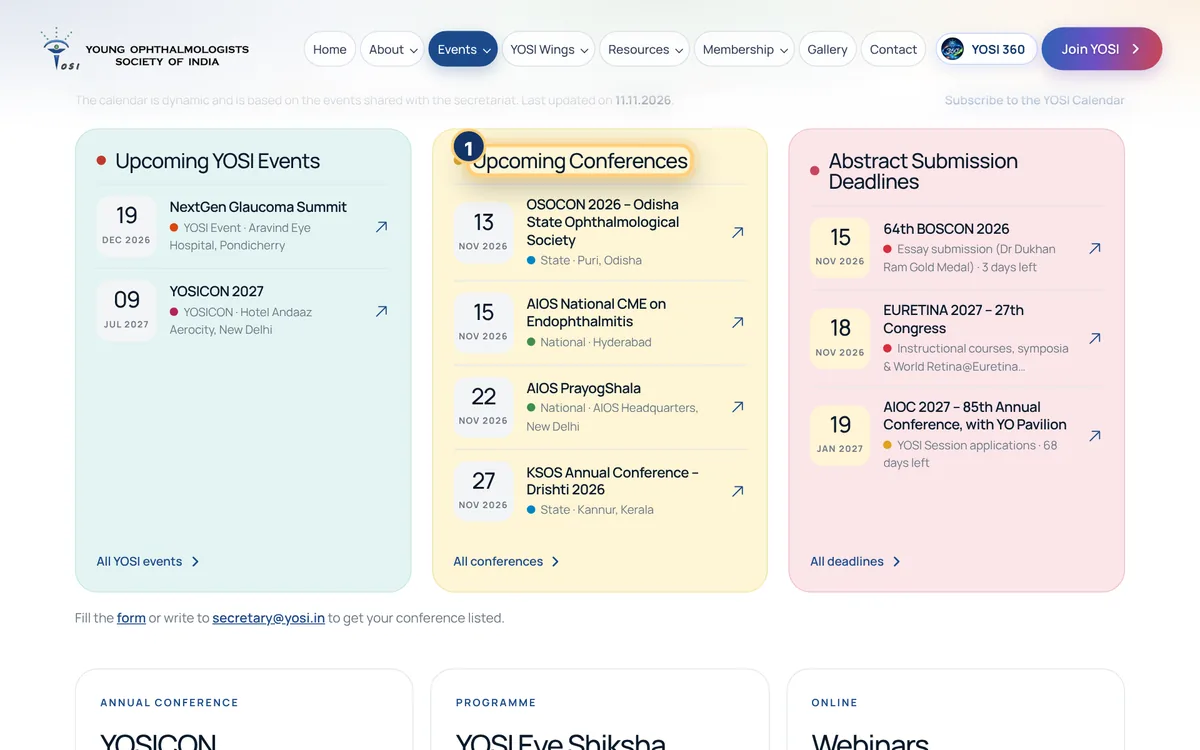
Annotated screen: Apply for a YOSI Session. Numbers match the steps.

Apply for a YOSI Session

Speak or sit on a panel in the YOSI Session at a partner conference.

  1. On Events, find Upcoming Conferences. Those marked YOSI Session applications are open.
  2. Sign in and press Apply for the YOSI Session.
  3. Send your details. Applications close 30 days before the conference.

This is for YOSI members.

Apply for a session
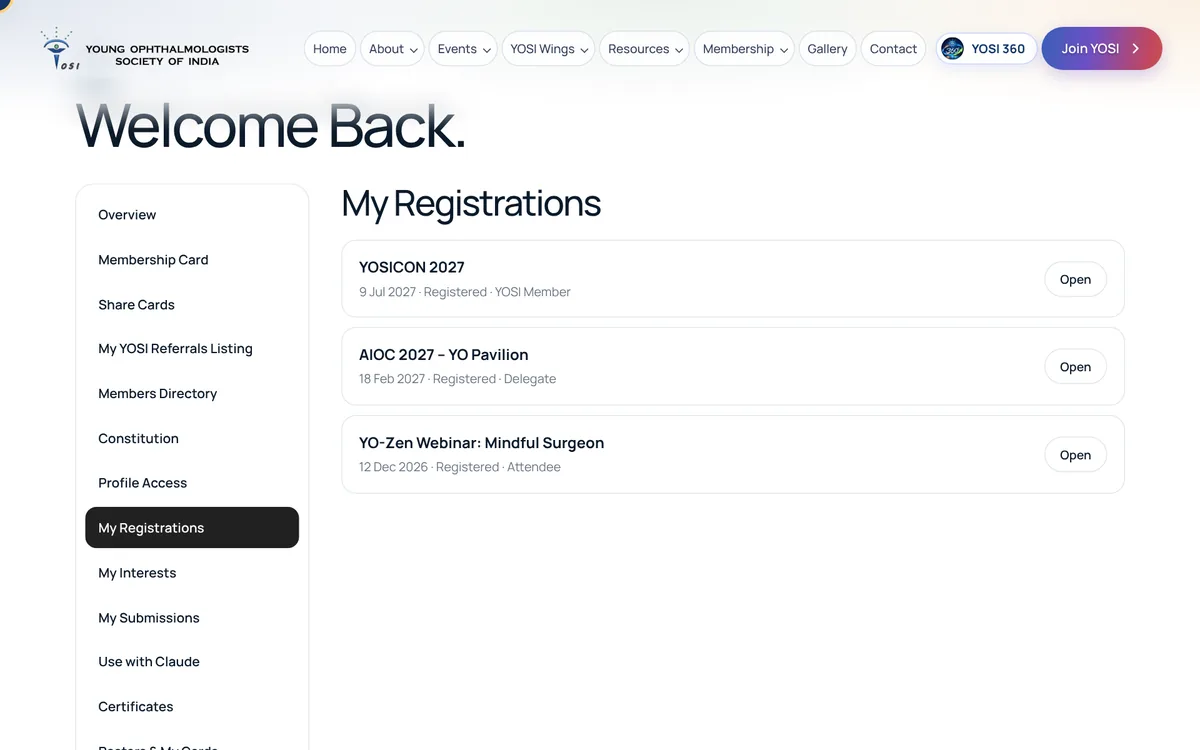
Annotated screen: My registrations and certificates. Numbers match the steps.

My registrations and certificates

Your passes, and every certificate you have earned.

  1. YOSI 360, then My Registrations. Each event has an Open button for your pass.
  2. Certificates lists what you have earned. Every certificate has a code that anyone can verify.
Open my registrations
Play and connect

Games, privacy controls and Claude.

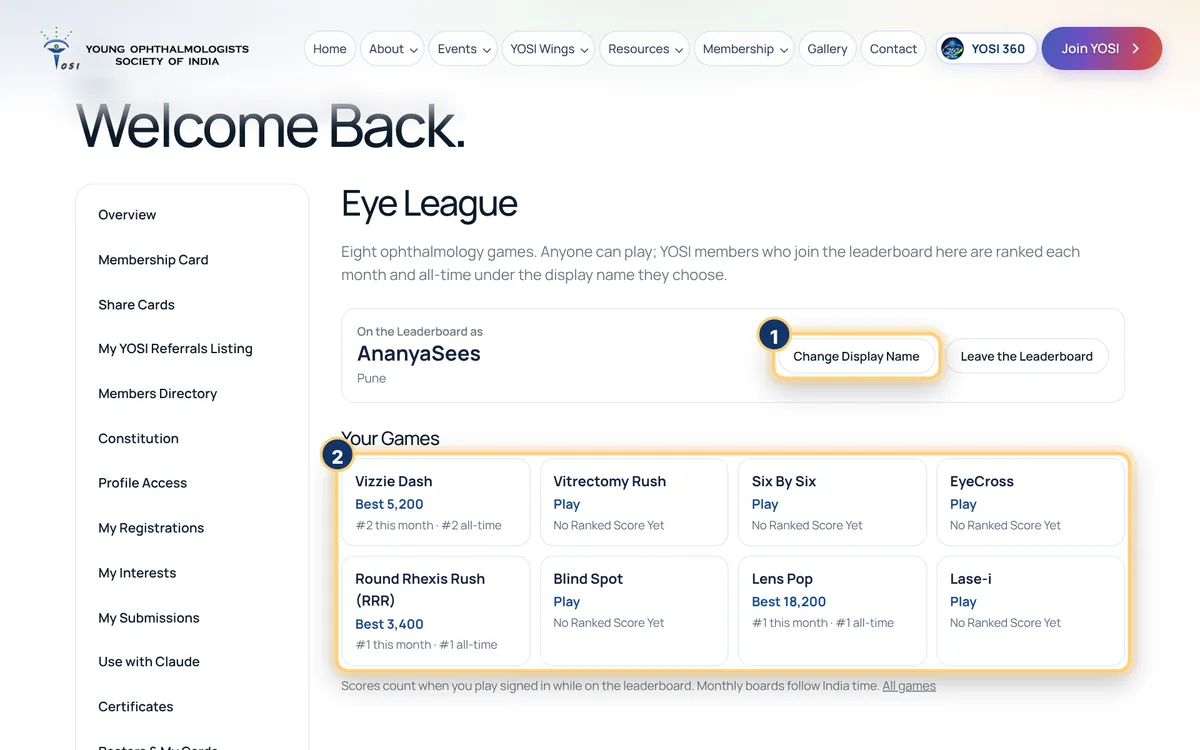
Annotated screen: Eye League. Numbers match the steps.

Eye League

Eight ophthalmology games with monthly and all-time leaderboards.

  1. Pick a game: Vizzie Dash, Vitrectomy Rush, Six By Six, EyeCross, Round Rhexis Rush and more.
  2. Members: open YOSI 360, then Eye League, and join the leaderboard under a display name you choose.
  3. Your best scores and ranks show for this month and for all time.
Play now
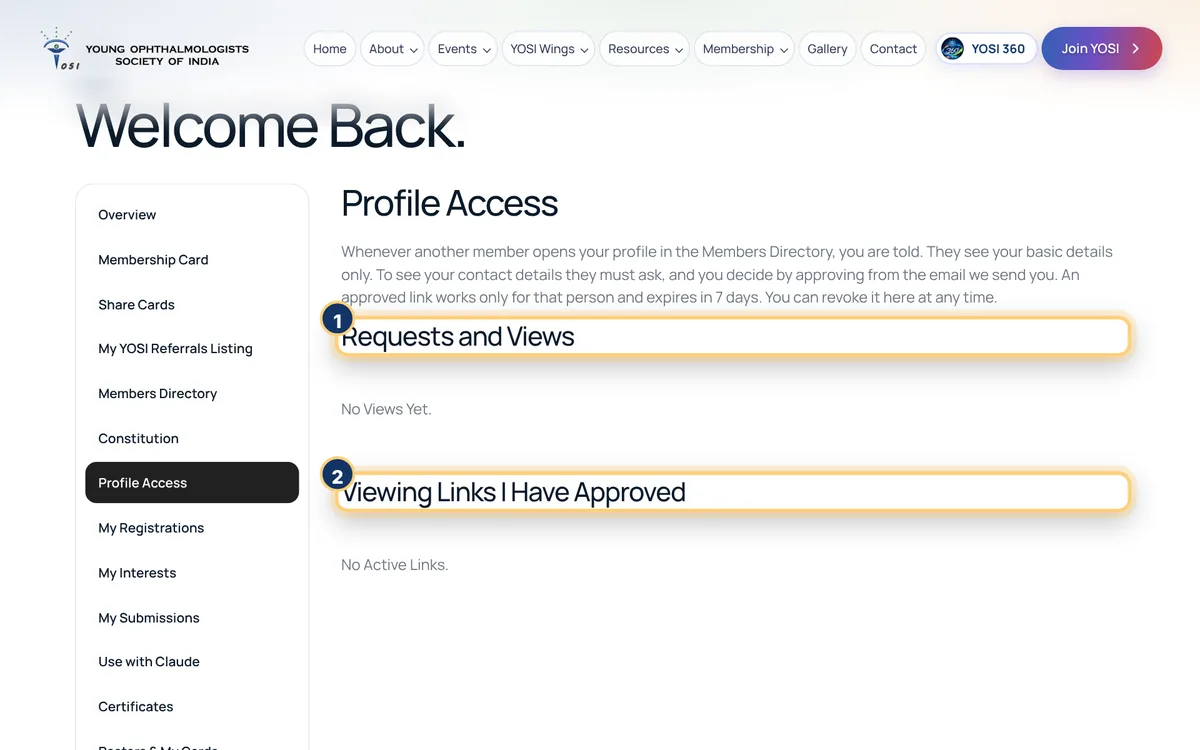
Annotated screen: You decide who sees your details. Numbers match the steps.

You decide who sees your details

Profile Access shows who looked at you, and lets you approve or decline.

  1. When another member opens your profile you are told, and they see only your basic details.
  2. To see your contact details they must ask. Approve or decline from Requests and Views.
  3. An approved link lasts 7 days. You can revoke it from Viewing links I have approved.
Open Profile Access
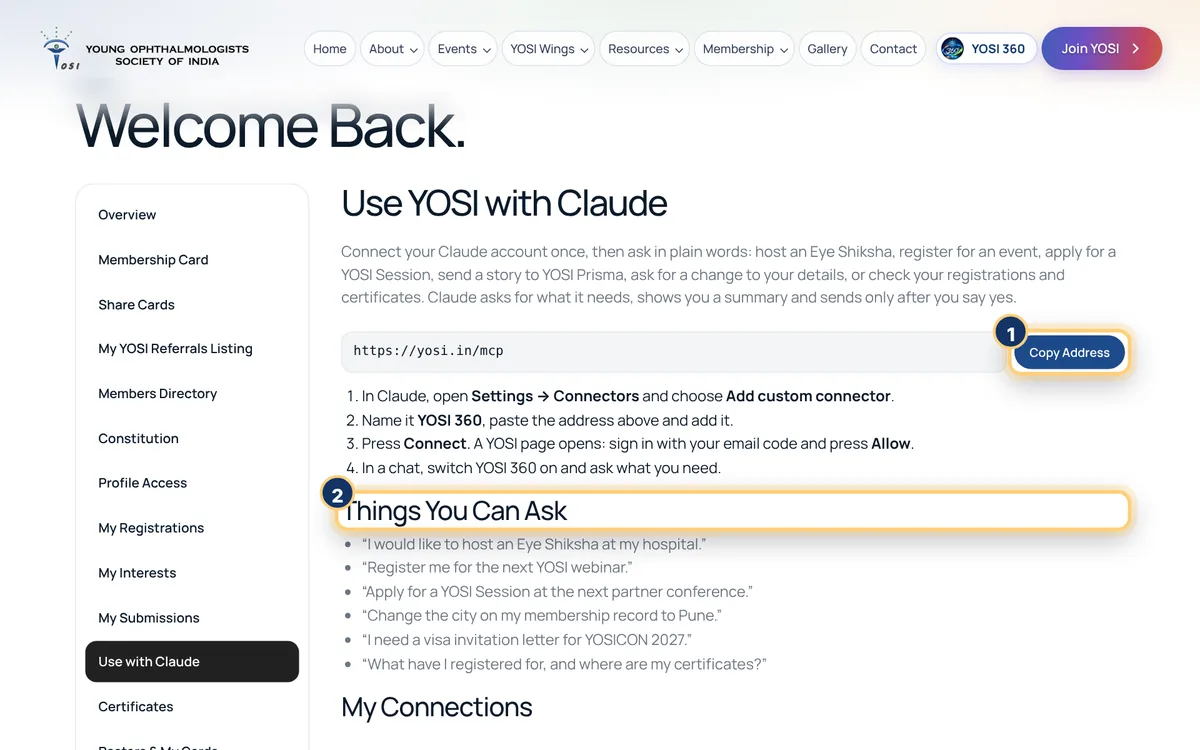
Annotated screen: Use YOSI with Claude. Numbers match the steps.

Use YOSI with Claude

Ask in plain words: register me, apply for a session, what have I registered for?

  1. YOSI 360, then Use with Claude. Press Copy Address.
  2. In Claude, open Settings, then Connectors, then Add custom connector. Name it YOSI 360 and paste the address.
  3. Press Connect, sign in with your email code and press Allow.
  4. Start a chat and ask. Claude can do only what you can do in YOSI 360.
Set it up

Ready to begin?

Join YOSI, or sign in to open YOSI 360.